Use the owning workspace
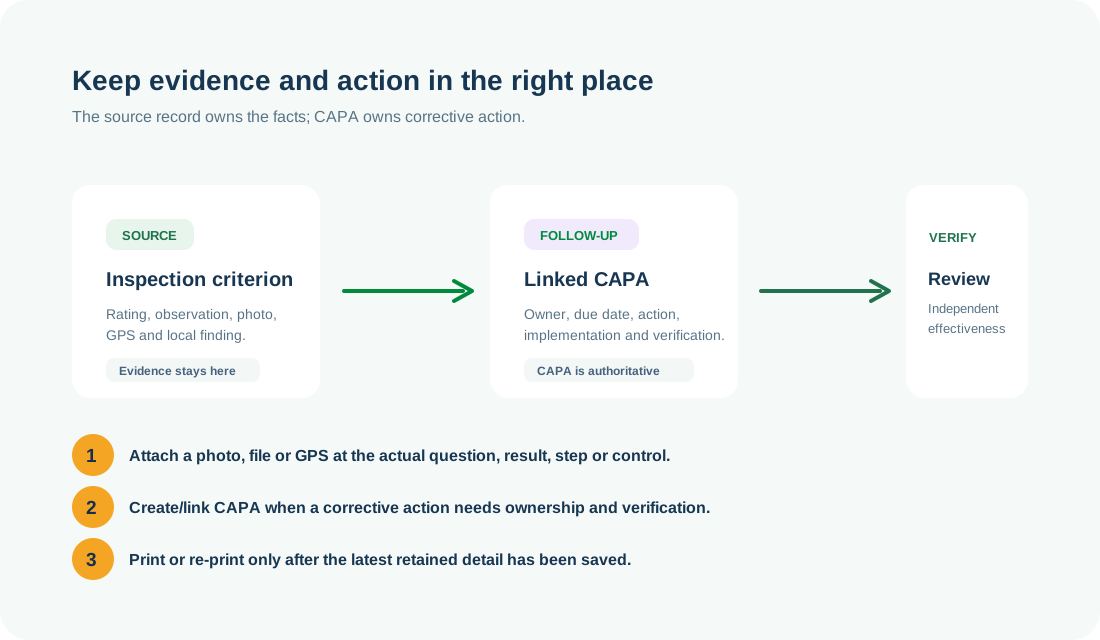
Open Workspace is the source of truth for a controlled record. Do not run a parallel spreadsheet or duplicate action tracker.
 HSE.myUser Guide
HSE.my · PUBLIC USER GUIDE
A practical, English-first guide to HSE.my modules, workspaces, roles, controlled actions and field-ready mobile use.
START HERE
Use the register to find work, the workspace to perform controlled actions, and CAPA to manage corrective action.
Open Workspace is the source of truth for a controlled record. Do not run a parallel spreadsheet or duplicate action tracker.
A button appears only when your active role, organization-unit scope and workflow stage permit the action.
Delete only an unused draft where the module explicitly permits it. Submitted, approved, linked, printed or evidenced records use amendment, revision, void, retire, archive or supersede.
Create or link CAPA from a source when corrective work is needed; do not create a duplicate action tracker in another module.
CLICK GUIDES
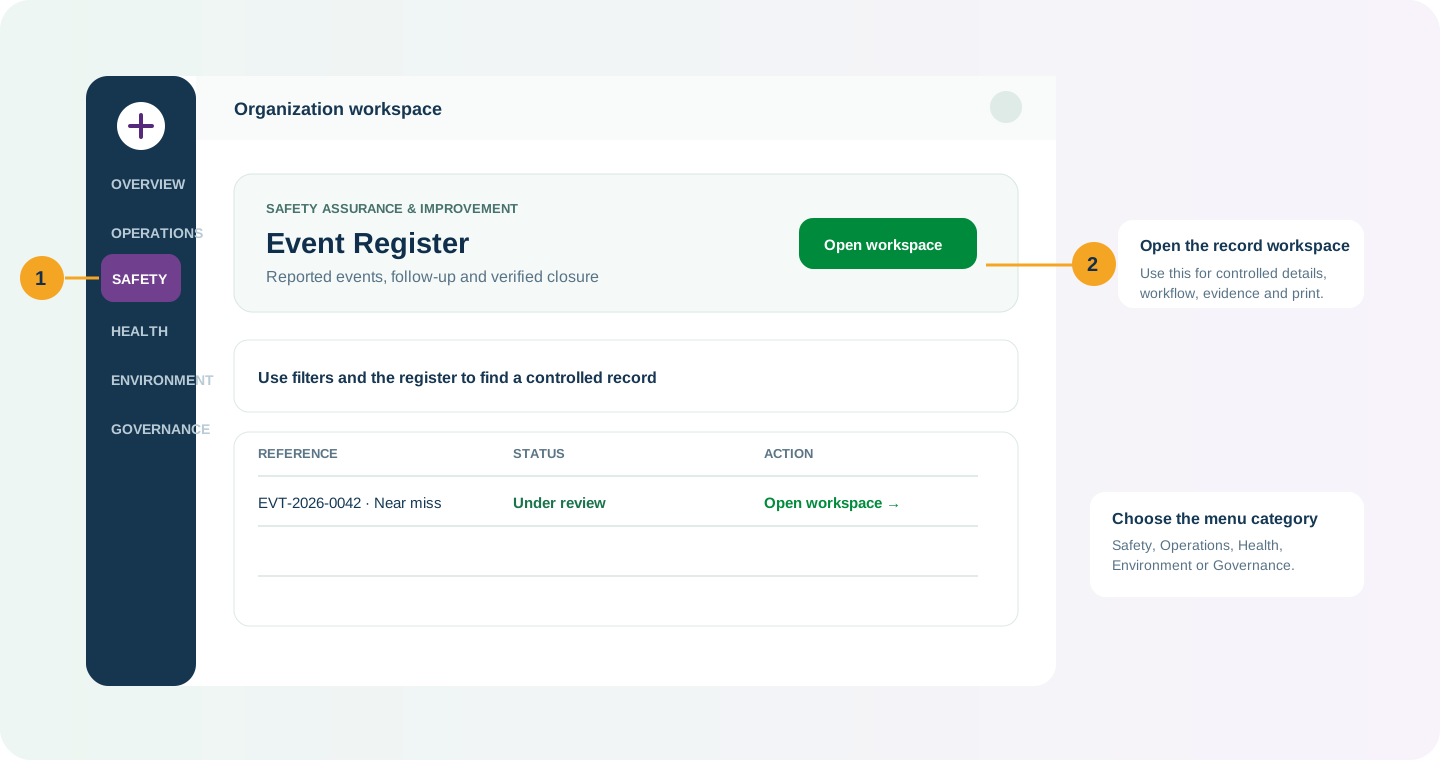
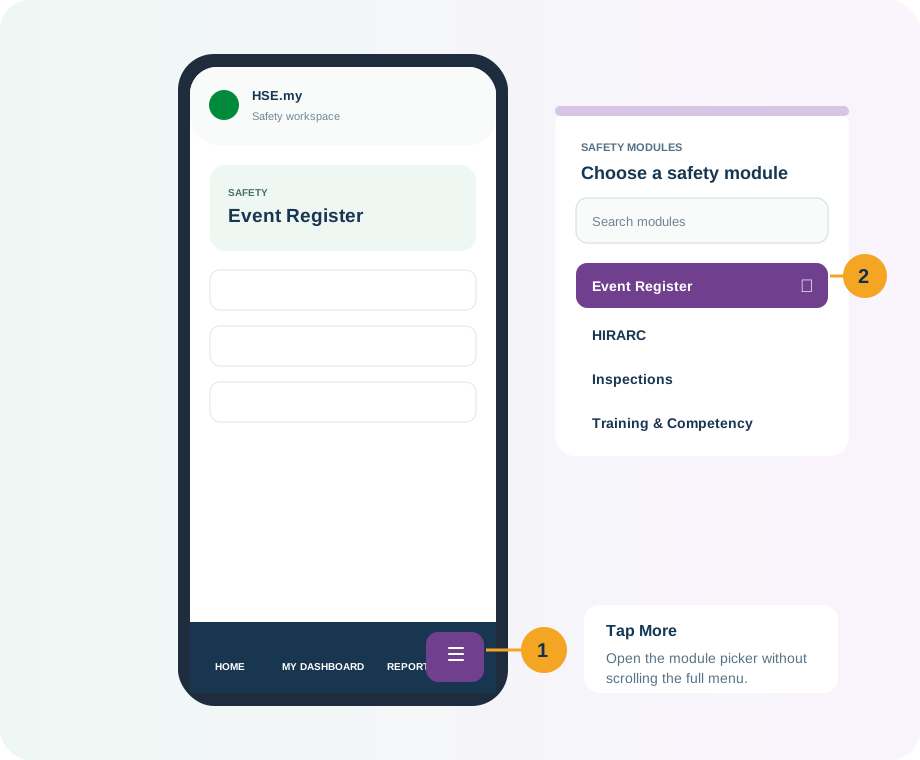
These illustrations show the common places to click. Labels vary by module, but the controlled pattern is the same.
MENU CATEGORIES
Every module appears in one category below. Select a category to view its modules, authorized role examples and example scenarios.
Report signals, control risk, investigate, improve and verify that work is safe.
11 modules and services Open guide →OPERATIONSPlan people, equipment and high-risk work through controlled readiness, authorization and close-out.
17 modules and services Open guide →HEALTHManage occupational hygiene, exposure, health programmes and competency evidence with appropriate confidentiality.
12 modules and services Open guide →ENVIRONMENTControl environmental aspects, permits, monitoring, waste and authority obligations from source to evidence.
9 modules and services Open guide →GOVERNANCEKeep obligations, assurance, statutory submissions, audits and controlled evidence ready for review.
12 modules and services Open guide →SHARED SERVICESUse common services that support every assurance domain without duplicating the authoritative source record.
5 modules and services Open guide →INSIGHTS & ADMINISTRATIONTurn controlled records into readable analysis, governed reports and organization configuration.
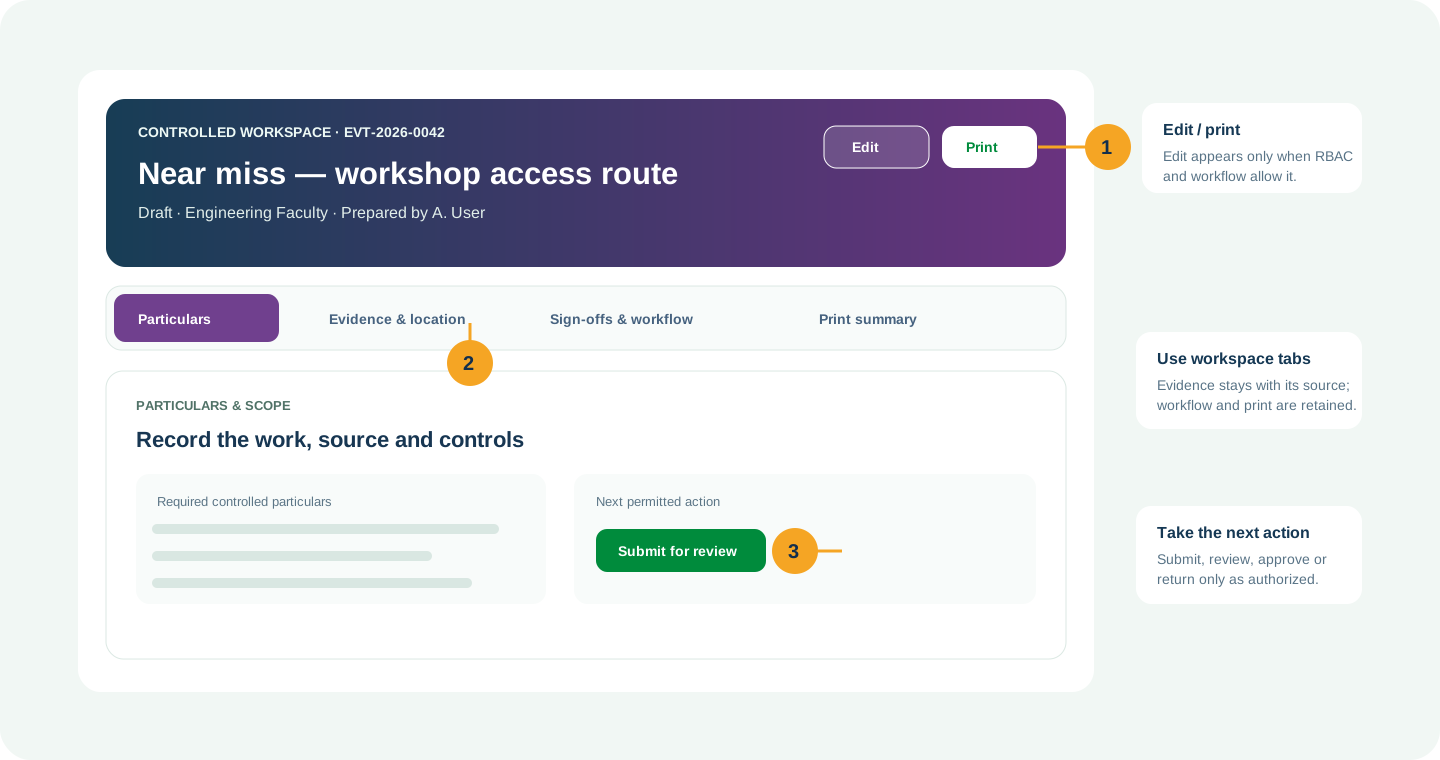
3 modules and services Open guide →WORKSPACE PATTERN
All controlled modules keep the same principle even when their tabs are named differently.
NEED HELP?
Do not include restricted medical, identity or personal data in a support request.